

Suppliers & RFQ Emails
Automated Quote Request Templates - DLA/DIBBS - Loocey
Automated Quote Request Templates - DLA/DIBBS - Loocey
- Length 23 min 16 sec
- Published November 1, 2024
- Product Loocey DLA / DIBBS
Overview
Automated Quote Request Templates - DLA/DIBBS - Loocey
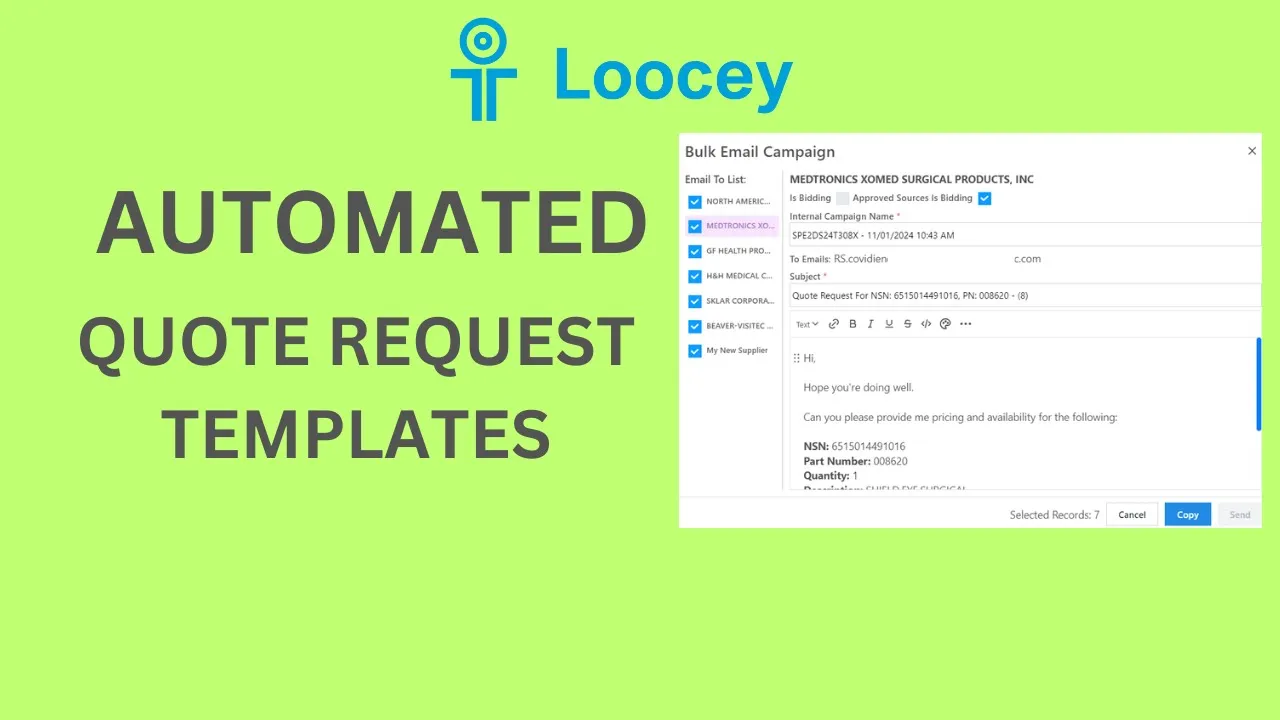
In this video, we're covering Loocey updates and how to go through Quote Request Emails
Go to the Product page to learn more:
Step by step
The walkthrough covered in the video, written out so you can follow along inside Loocey.
- Start on the RFQs board and find your solicitation, then copy it to the Bidding Board with one-click copy, Loocey copies the contract details and the approved sources into your CRM.
- Open the copied RFQ. At the top, note the new Ask versus Quantity fields: Ask is what the contract requests, and Quantity is what you’re actually bidding, adjust it if your supplier can only cover part of the order.
- Enter your unit price and margin, and Loocey calculates the bid price, unit price, and profit, the profit now also shows on the Bidding Board.
- Check the AS Bidding indicator and the NSN history to see if an approved source is bidding, if many approved sources exist, you may still be able to compete on price.
- In the Supplier Quotes tab you can see an Is Bidding column showing which specific supplier is bidding. If you don’t see it, open the view configuration for Supplier Quotes, enable the Bidding column, and save the view.
- Select the suppliers you want quotes from and choose Bulk Email Sender from the menu. Uncheck any supplier that is bidding against you, emailing them only alerts them to the RFQ.
- Review the generated template for each supplier: the subject includes the NSN and that supplier’s own part number, and the body includes the quantity, description, and the supplier’s manufacturer name and cage code, each email is unique to its recipient.
- For suppliers that are not approved sources (for example, a distributor you found), the template changes: it lists all the approved sources with their cage codes and part numbers, so your quote request specifies which sources the product must come from.
- While sending is manual (the automated send feature is coming), use the copy buttons: copy the email address, subject, and body into your own email client and send.
- Keep supplier emails current: open the supplier record to update the email, and add contacts (for example, a sales rep you spoke with), contacts added to the quote request appear alongside the supplier email in the sender.
- Note the number in the subject line: it’s the internal quote ID from your board, so replies can always be traced back to the right RFQ even if contract numbers are duplicated.
Where this fits
This tutorial covers the Suppliers & RFQ Emails part of Loocey DLA. Manage manufacturers and distributors and automate your quote-request process.
- Loocey DLA Getting Started guide — account setup and the full bidding workflow
- Saved-search recipes — the exact column, condition and value for 20 common DLA searches
- DLA / DIBBS glossary — what every field on a solicitation means
- All Loocey DLA video tutorials
Try it in your own account
Loocey DLA imports DLA/DIBBS solicitations daily and carries them through a CRM bidding board, supplier quote requests, bid pricing and MIL-STD-129R labels.