

Demos & Overviews
Best DLA/Dibbs Software to Manage Your Bids - Loocey
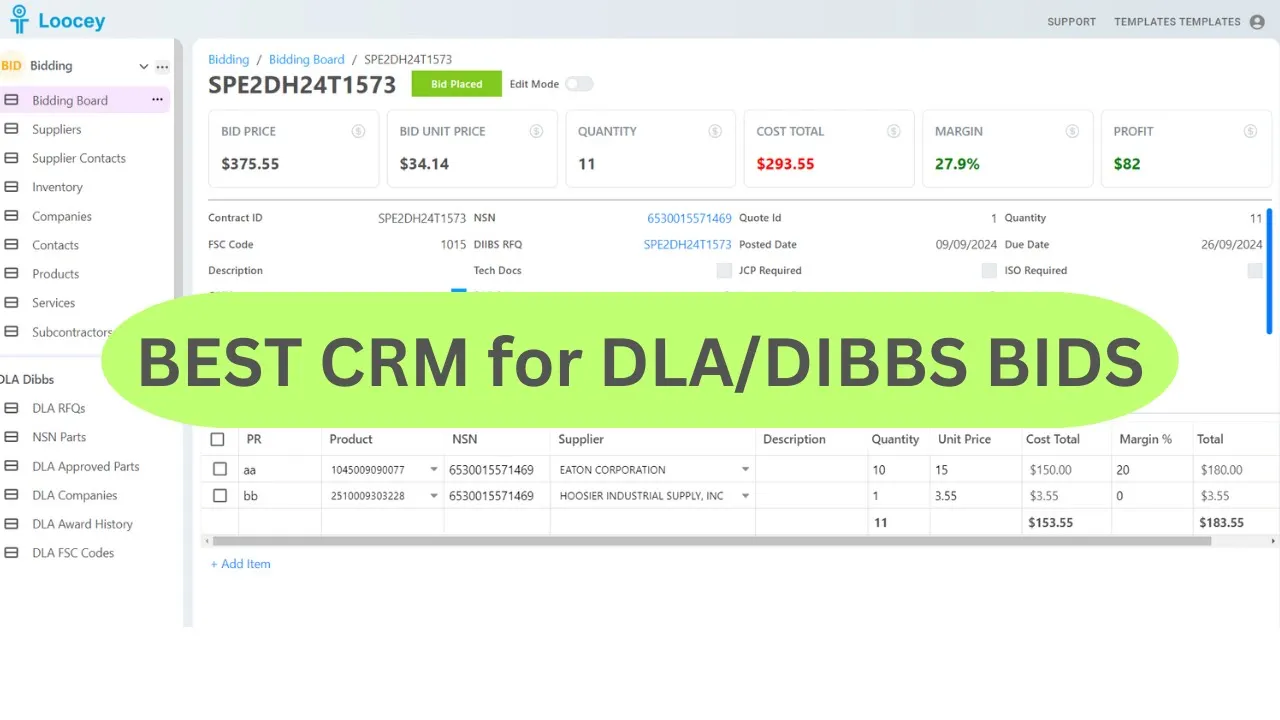
Loocey CRM Demo for DLA/Dibbs and Sam.gov
- Length 22 min 08 sec
- Published September 24, 2024
- Product Loocey DLA / DIBBS
Overview
Loocey CRM Demo for DLA/Dibbs and Sam.gov
Go to the Product page to learn more:
Step by step
The walkthrough covered in the video, written out so you can follow along inside Loocey.
- Understand the layout: the bottom section is DLA DIBBS research, daily RFQ imports with parsed PDF flags (JCP, ISO, COTS, and more), and the top section is your CRM, private to your company.
- Research and filter: click an NSN for approved parts, history, and company details, and combine advanced filters (for example, Tech Docs is false And COTS is true) to find biddable items.
- Find your solicitation, search by NSN or paste a solicitation number, then select it, click the three dots, and choose Copy To Bidding Board. Loocey copies the full solicitation, approved sources, and parts into your CRM.
- Meet your linked Suppliers and Inventory: copying an RFQ also creates the approved sources as suppliers and links the NSN as a product in each supplier’s inventory. Open a supplier to see every product they carry, add more NSNs manually, and record quantities and last prices.
- Track supplier relationships: use the Relationship Status column (fully editable, with your own statuses and colors) to track account-opening progress, store your account numbers, and take notes on each supplier.
- Open the copied RFQ in the Bidding Board: the Supplier Quotes tab lists the approved sources, ready for quote requests, with per-supplier statuses. Email templates pre-filled with the part number, NSN, and your company details are coming to automate this step.
- Save quote documents: when quotes come back, store the PDF in your drive and paste the link on the supplier quote line so it’s one click away (direct file upload is coming).
- Add your own suppliers: create the supplier, link the NSN to their inventory, and from then on Loocey automatically adds them to the Supplier Quotes list whenever you copy a solicitation with that NSN.
- Calculate the bid in Product Details: select the winning supplier, enter their unit price and your margin, and Loocey shows cost total, bid unit price, and profit. Split quantities across multiple supplier lines with different prices and margins when one supplier can’t cover the full order.
- Add real costs in Service Details: define services like shipping, packaging, and labor, then add them as lines with their own margins, the top summary recalculates so you never underbid below your true costs.
- Store bid package links in Files and track progress in Notes, each note records who wrote it and when.
- Review your outcomes: create views like Lost Bids filtered on bid status, add a custom column such as Lost Reason, and use the linked NSN pop-up to compare your bid against the award history.
Where this fits
This tutorial covers the Demos & Overviews part of Loocey DLA. Start here — full product demos, webinars and feature round-ups for Loocey DLA.
- Loocey DLA Getting Started guide — account setup and the full bidding workflow
- Saved-search recipes — the exact column, condition and value for 20 common DLA searches
- DLA / DIBBS glossary — what every field on a solicitation means
- All Loocey DLA video tutorials
Try it in your own account
Loocey DLA imports DLA/DIBBS solicitations daily and carries them through a CRM bidding board, supplier quote requests, bid pricing and MIL-STD-129R labels.