

Loocey ChatBots
The AI Chatbot Trained on Your Documents That Cites the Page
Answers From Your Own Manuals, Websites and Loocey Sites, With the Source, Section and Page of Every Answer, and No Guessing When the Documents Do Not Say.
- Citations to the Page
- Cite or No Answer
- Shared or Private Training Data
- Website Widget, No Visitor Login
- MCP Tools for AI
AI Answers
AI Answers From Your Documents, With the Page to Prove It
The AI answers only from your own manuals, websites and Loocey Sites, cites the page of every claim and says so when the documents do not answer. Staff see why it answered and approve the right answers.
AI Feature
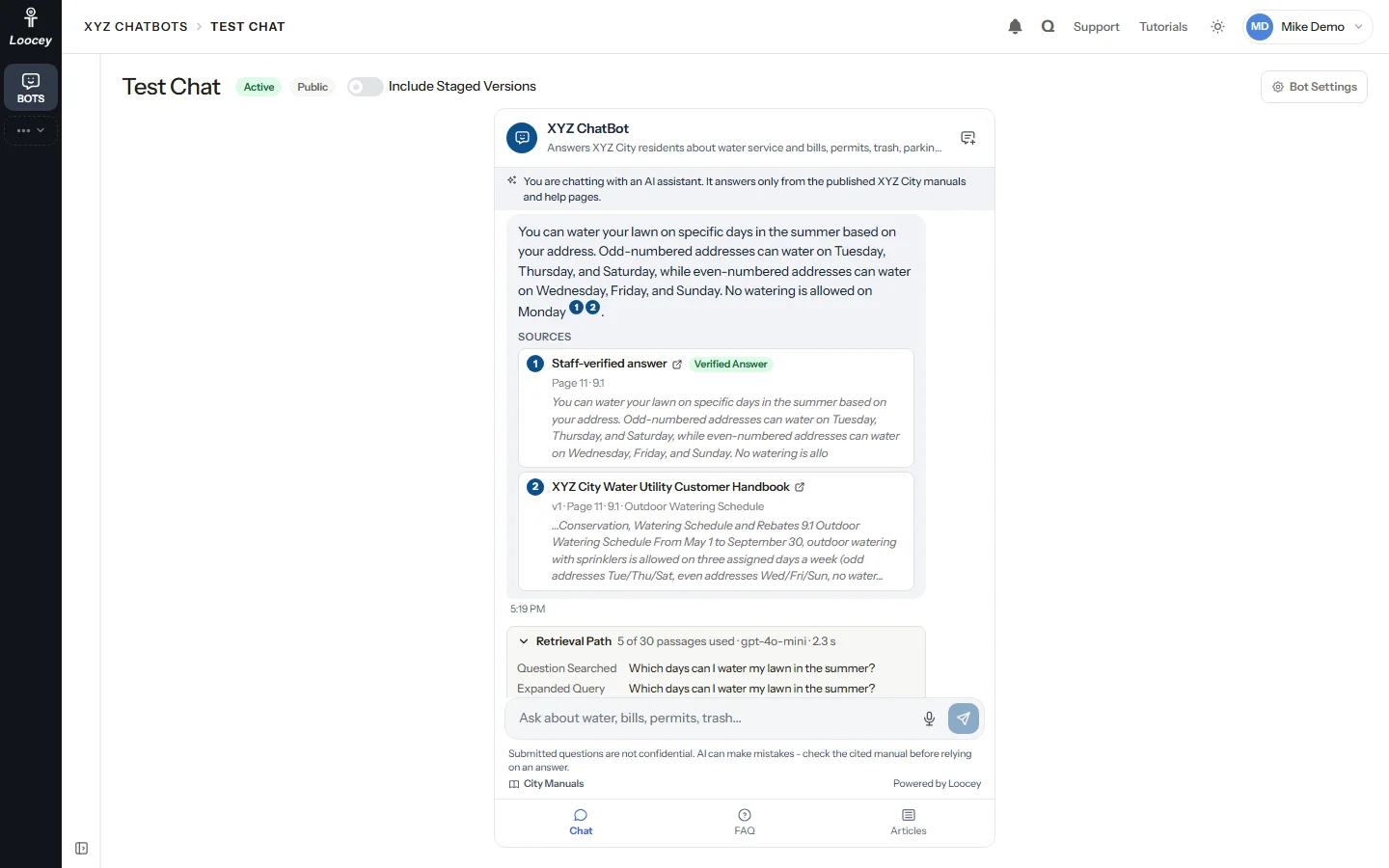
Grounded Answers With Citations
Every answer comes from your documents and names the page it came from
The AI model gets only the best matching passages from your own sources and must cite every claim. Each citation names the source, version, page and section, with a snippet the reader can check.
How It Works
- A visitor or staff member asks a question in plain words.
- Hybrid search finds the best passages in the live versions of your sources.
- The AI writes the answer from those passages only, citing each claim.
- The answer shows numbered citations; a PDF citation opens the manual at that page.
What You Get
- Citations with the source, version, page, section and a snippet
- Staff-approved verified answers are cited like any other source
- Follow-up questions keep the context of the chat
- Only links found in your passages or your manuals link are kept in an answer
AI Feature
The Retrieval Path
See exactly why the bot answered the way it did
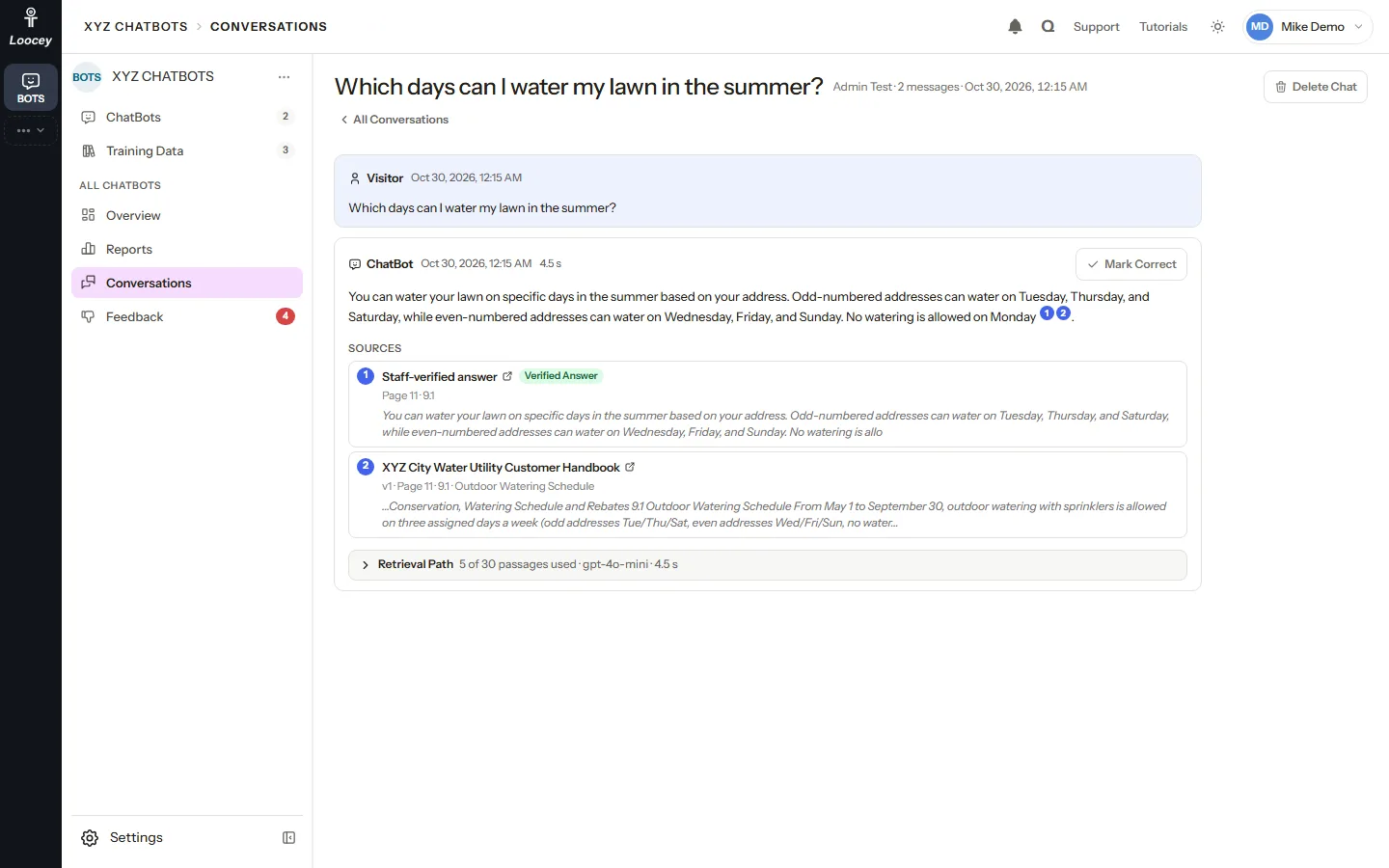
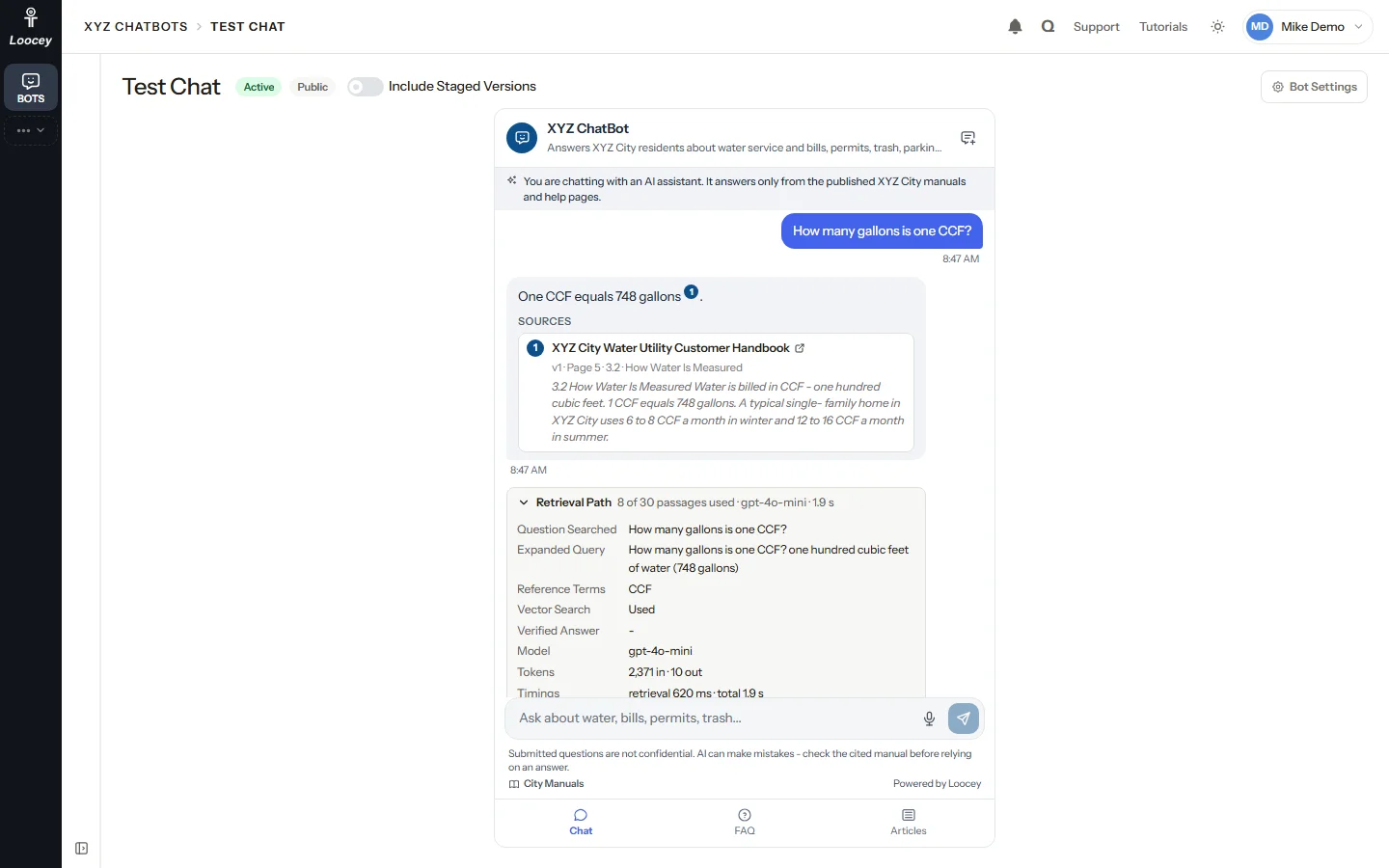
Test Chat shows staff what visitors never see: the Retrieval Path of every answer, from the question searched to every candidate passage and its score.
How It Works
- Open Test Chat for any bot, even a private draft.
- Ask a question or click a quick prompt.
- Open Retrieval Path under the answer.
- Read the expanded query, the reference terms used, the model, tokens, timings and every passage with its text rank, vector rank and score.
What You Get
- Find out which passages were used, and which were not
- See when a verified answer or a reference term shaped the answer
- Mark Correct turns a good answer into a verified answer
- Include Staged Versions tests a new edition before visitors get it
AI Feature
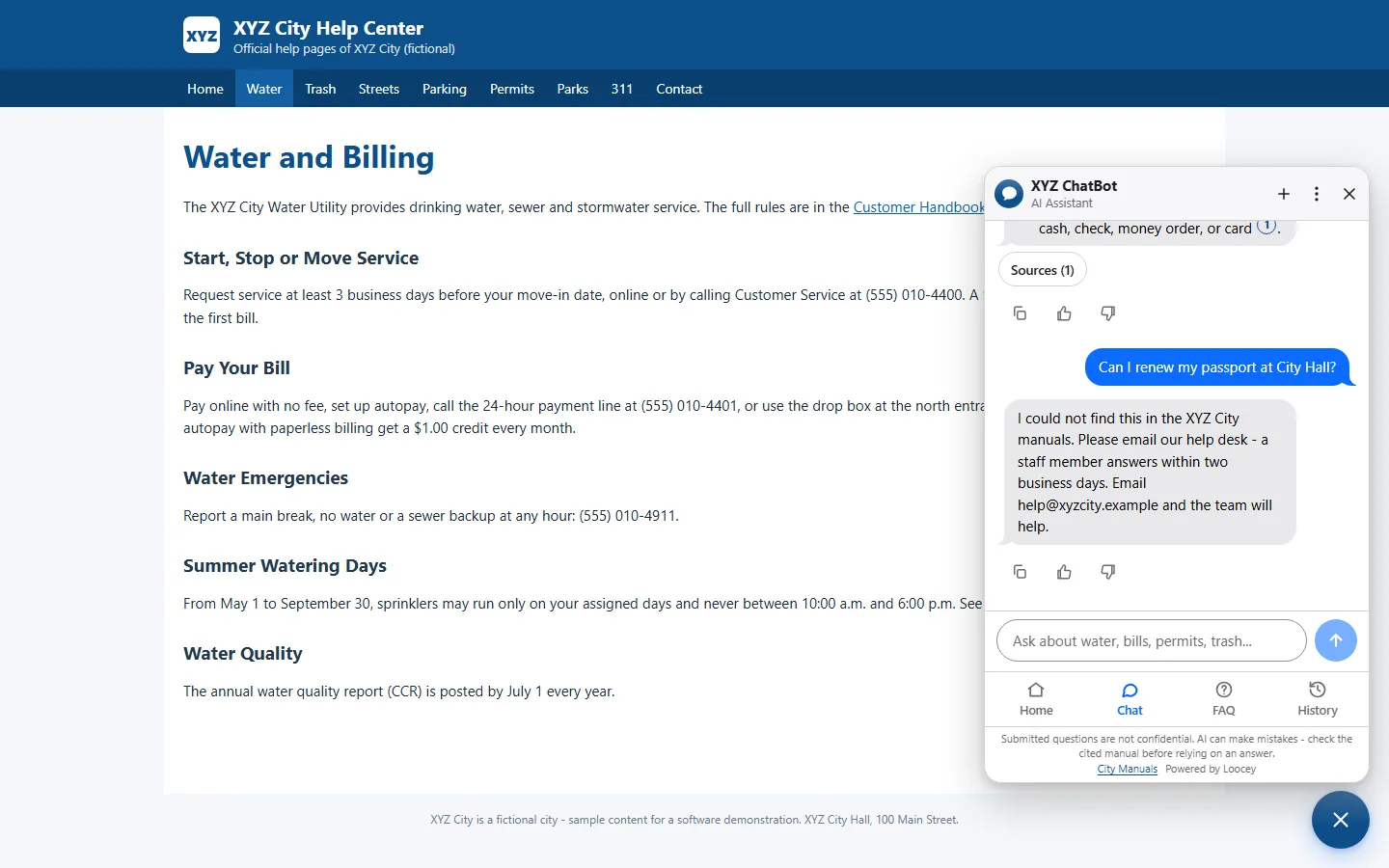
Cite or No Answer
When your documents do not say, the bot says so instead of guessing
The AI must cite every claim, or answer that it has no answer. With no matching passage the model is not called at all, and the visitor gets your fallback message and a way to reach a person.
How It Works
- A visitor asks something your manuals do not cover.
- The search finds no passage that answers it.
- The bot shows your fallback message and the staff email address.
- The question is counted as a no-answer reply in Reports, so you know what to add.
What You Get
- No made-up answers from outside your sources
- Your own fallback message and staff inbox for every bot
- An AI disclosure and a disclaimer on every chat
- Filter the conversation log by no-answer replies
AI Feature
AI Consistency Check
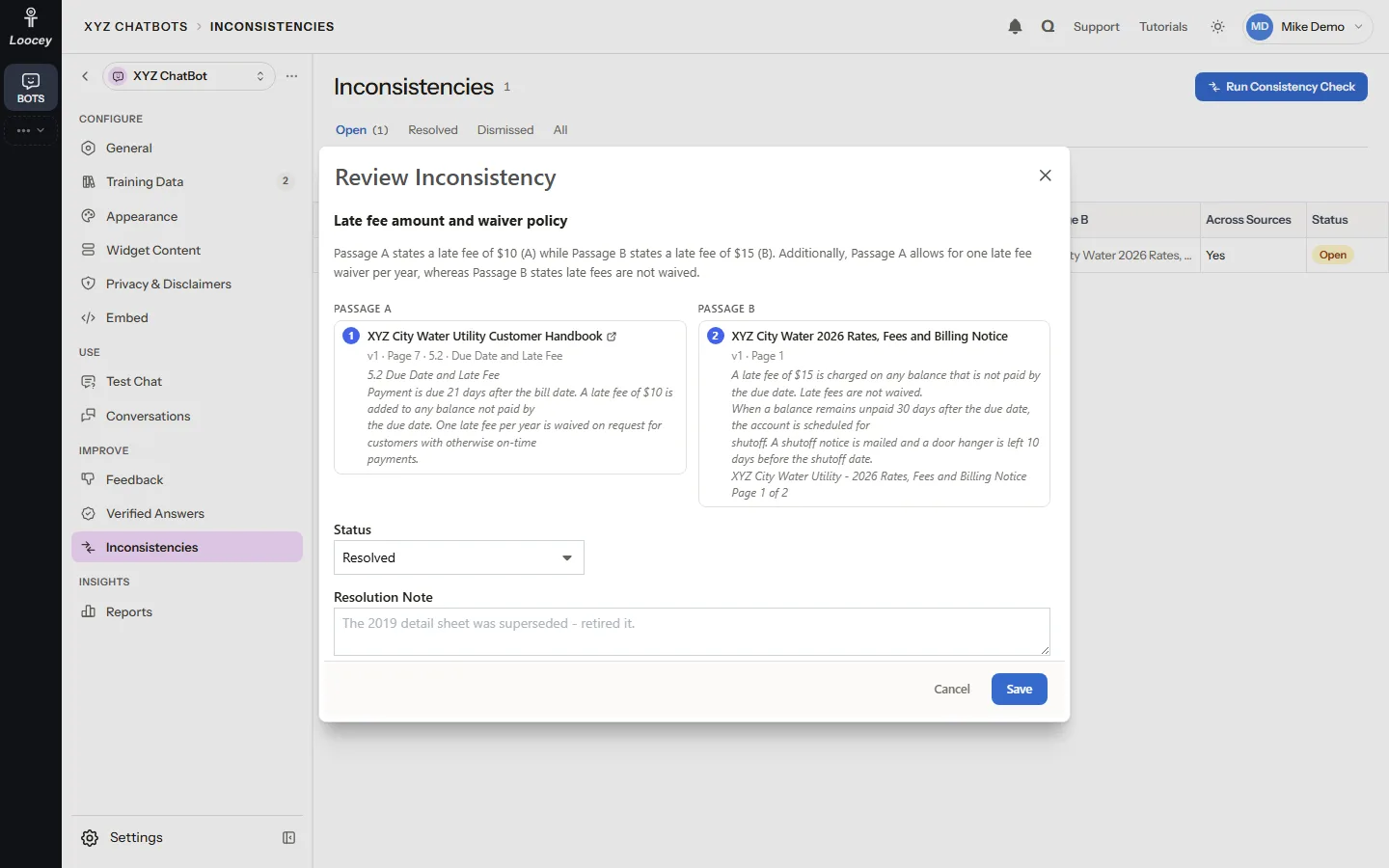
Find the places where your manuals contradict each other
Run Consistency Check compares the passages of a training data set and asks the AI which pairs contradict each other, inside one manual or across manuals, before visitors run into them.
How It Works
- Open Inconsistencies, pick a training data set and click Run Consistency Check.
- The check runs in the background and new findings appear as Open.
- Open a finding to read both passages with their source, page and section.
- Fix the cause, for example by retiring an outdated source, then resolve it with a note.
What You Get
- Each finding names the topic and what differs
- Both passages with their source, page and section
- Resolve or Dismiss, with a note and your name
- A pair that was already flagged is not asked again, so each run looks further
AI Feature
Verified Answers
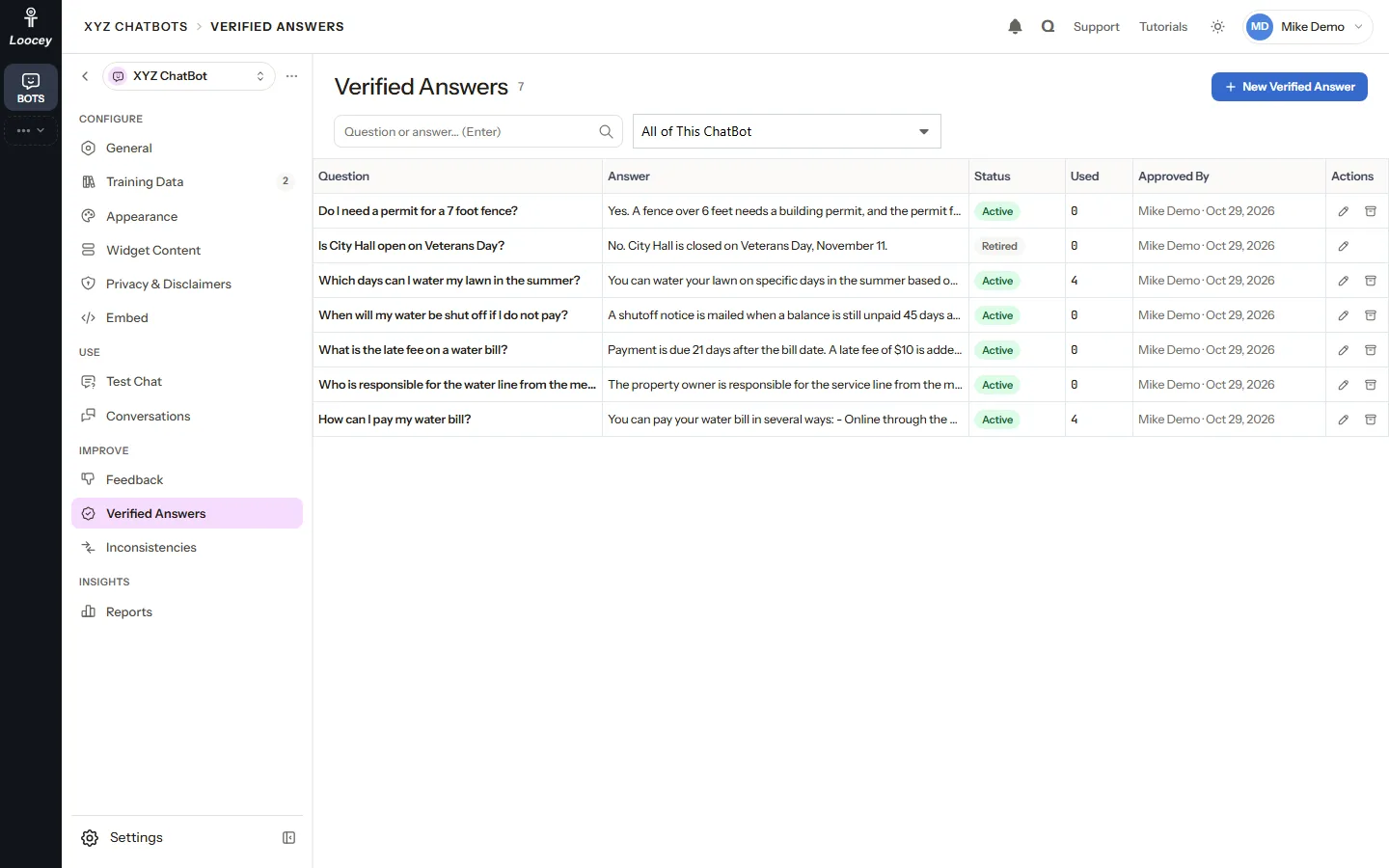
Approve the right answer once and the bot uses it first
A verified answer is a question with a staff-approved answer. A new question that matches it gets it as its top passage, and the bot still has to cite it.
How It Works
- Mark Correct on a good answer in Test Chat or the conversation log, or click New Verified Answer.
- Write or check the question and its answer.
- A matching question gets the verified answer as its top passage.
- Retire an answer to stop using it; it stays in the list.
What You Get
- Each answer shows how often it was used and who approved it
- Resolved feedback with a corrected answer becomes a verified answer
- The grounding rules still apply: the bot cites the verified answer
- Changes to verified answers are written to the audit log
AI Feature
The Widget Answers on Your Website
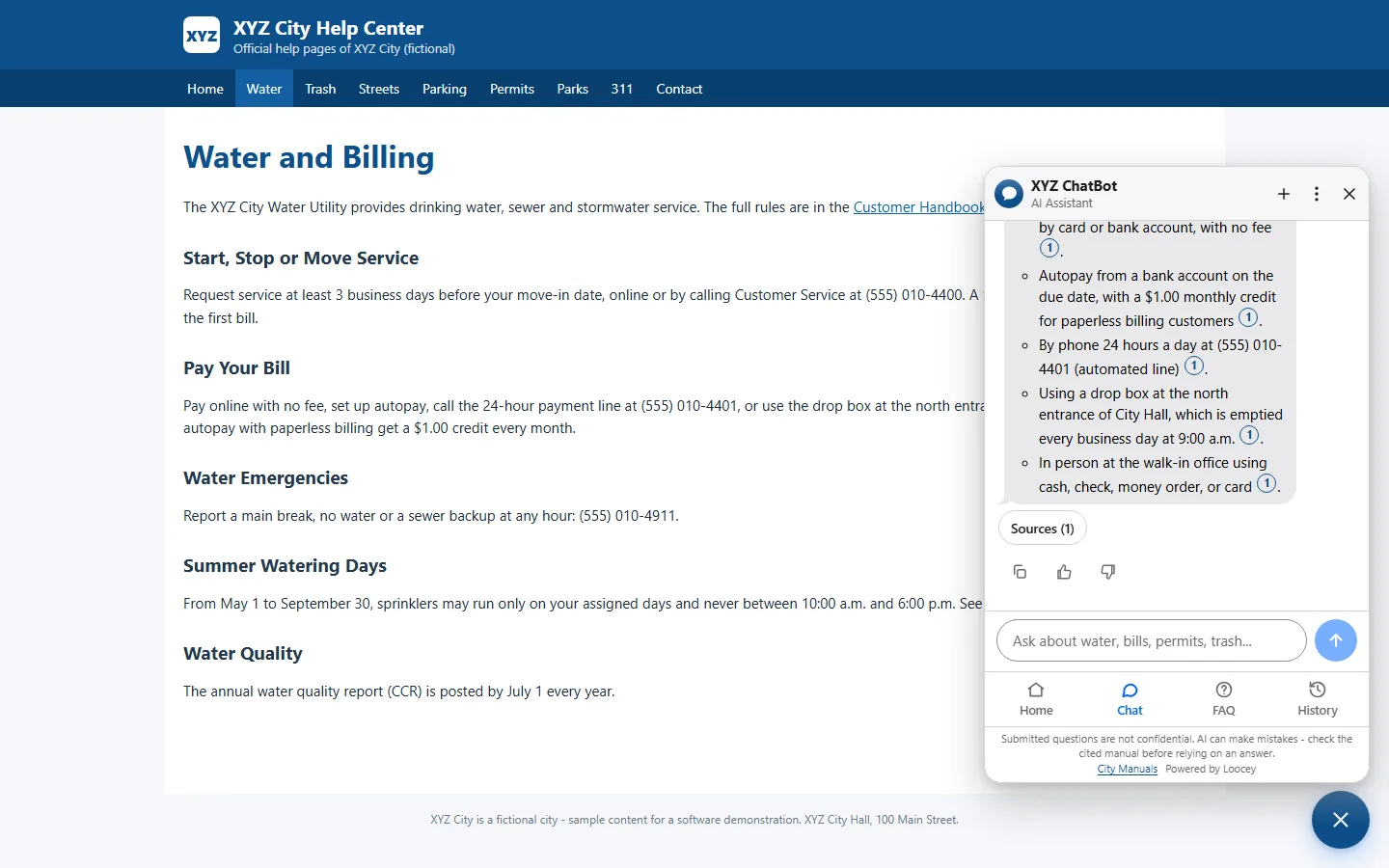
Visitors ask on your pages and check the source of every answer
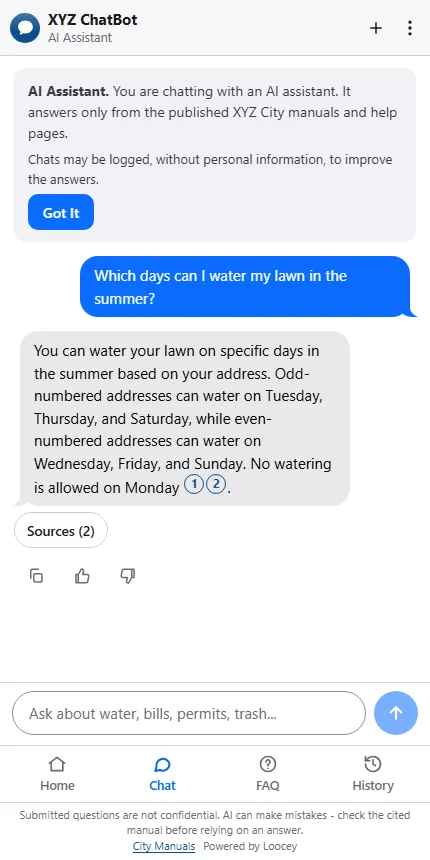
One script tag adds a chat button to your website. Visitors ask in plain words, read a cited answer as it streams in and open the sources behind it, with no login.
How It Works
- A visitor opens the chat button on your website.
- They type a question and press Enter; the answer streams in.
- Sources under the answer name the manual, section and page, with a snippet.
- Open Page opens the manual at that page in a new tab.
What You Get
- No visitor login; personal details are removed before a question is stored
- Rate an answer with thumbs up or down
- Quick prompts, FAQs and popular articles in the widget
- Built for WCAG 2.1 AA and usable with a keyboard
Features
Everything You Need to Run a Chatbot That Cites Sources
Staff build the bots, manage the manuals and their versions, review visitor feedback and export usage reports. Visitors get answers with citations they can check.
Many ChatBots, One App
A bot for every department, program or website
One ChatBots app holds any number of chatbots, each with its own settings, widget and embed key. The home lists every bot above the training data sets they answer from.
- Status, visibility, training data, sources, chats and thumbs for every bot
- New bots start as private drafts that answer only in Test Chat
- A bot answers on a website only when it is Active and Public
- The Overview sums up chats, questions, no-answer replies and open feedback
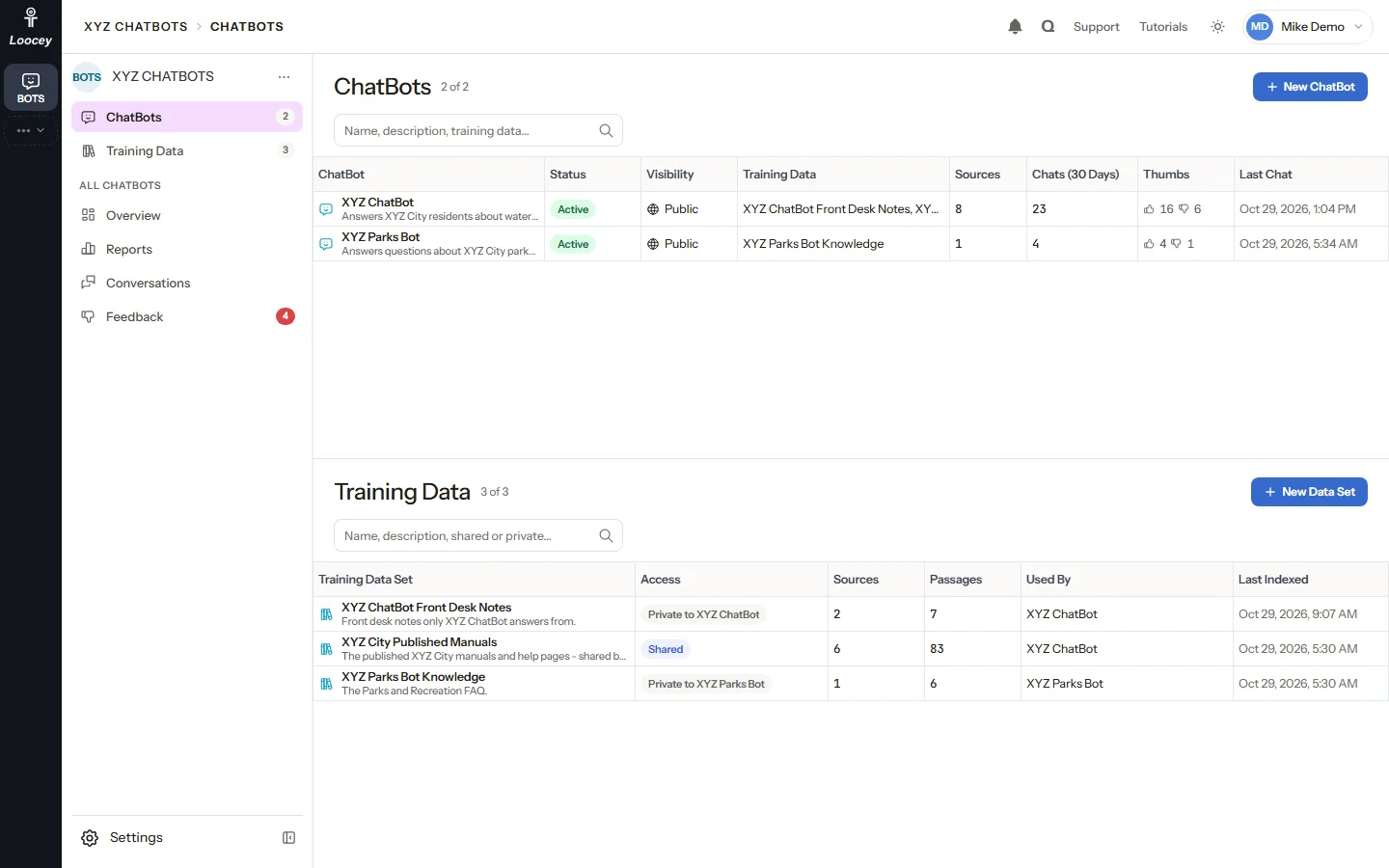
Shared or Private Training Data
Build a library once and give it to every bot that needs it
A training data set is a library of sources a chatbot answers from. Share one set across several bots, or keep a set private to one bot. A bot answers from its sets and from nothing else.
- Shared sets, for example office policies, for every bot
- A private set is never searched or cited by another bot
- Add or remove a set at any time; it takes effect with the next question
- Sources, passages, the bots using it and when it was last indexed
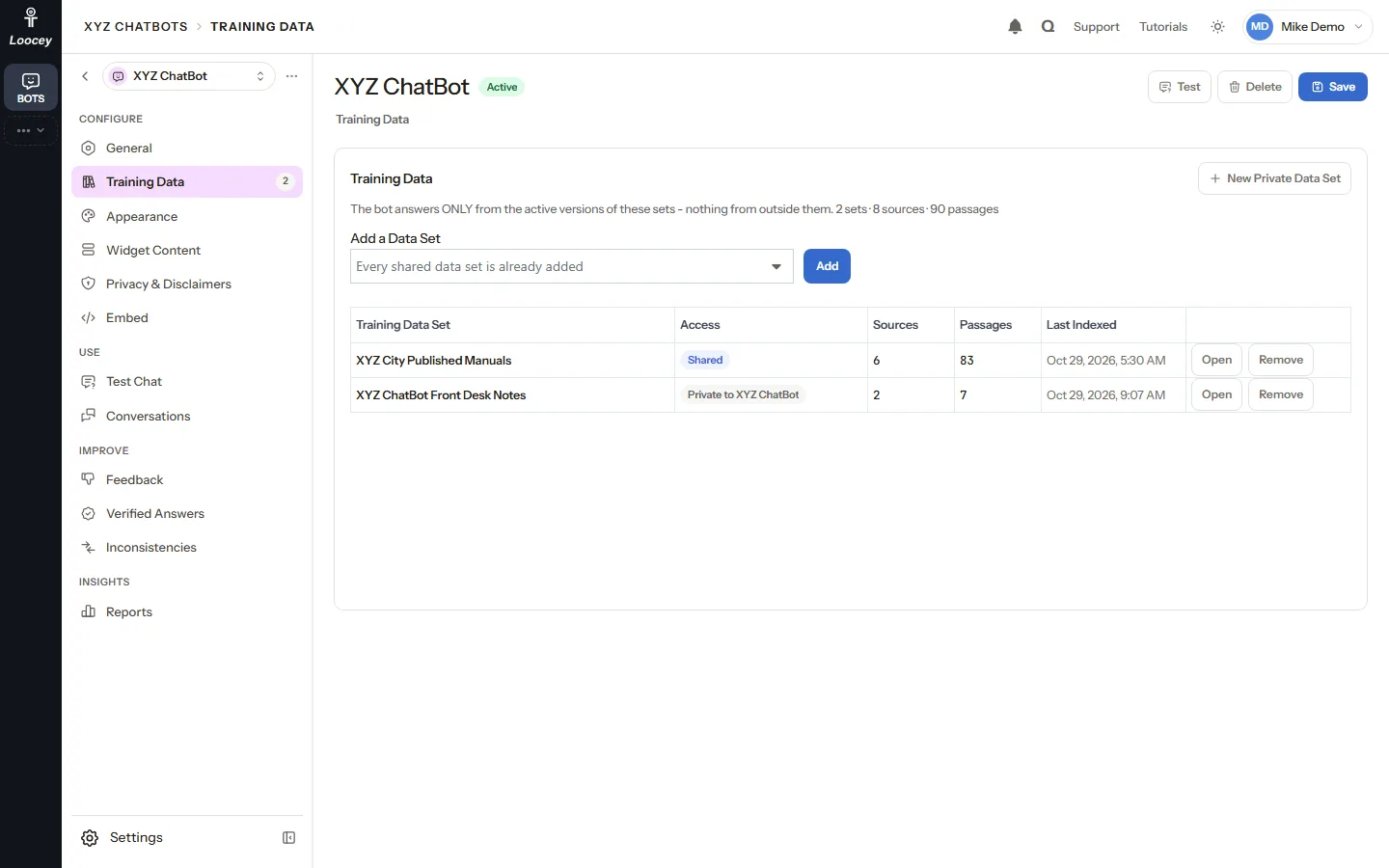
Manuals, Text, Websites and Loocey Sites
Add sources from one dialog and choose when they go live
Upload a manual, paste text, crawl a section of a website or pick one of your Loocey Sites. Indexing runs in the background and the sources table shows its progress.
- PDF, Word (.docx), .txt, .md or .html files up to 100 MB, read page by page
- Crawl a website with a page limit (default 50, up to 200) that follows robots.txt
- A Loocey Site becomes searchable with every published page and translation
- Activate Now, Stage or Schedule each new source
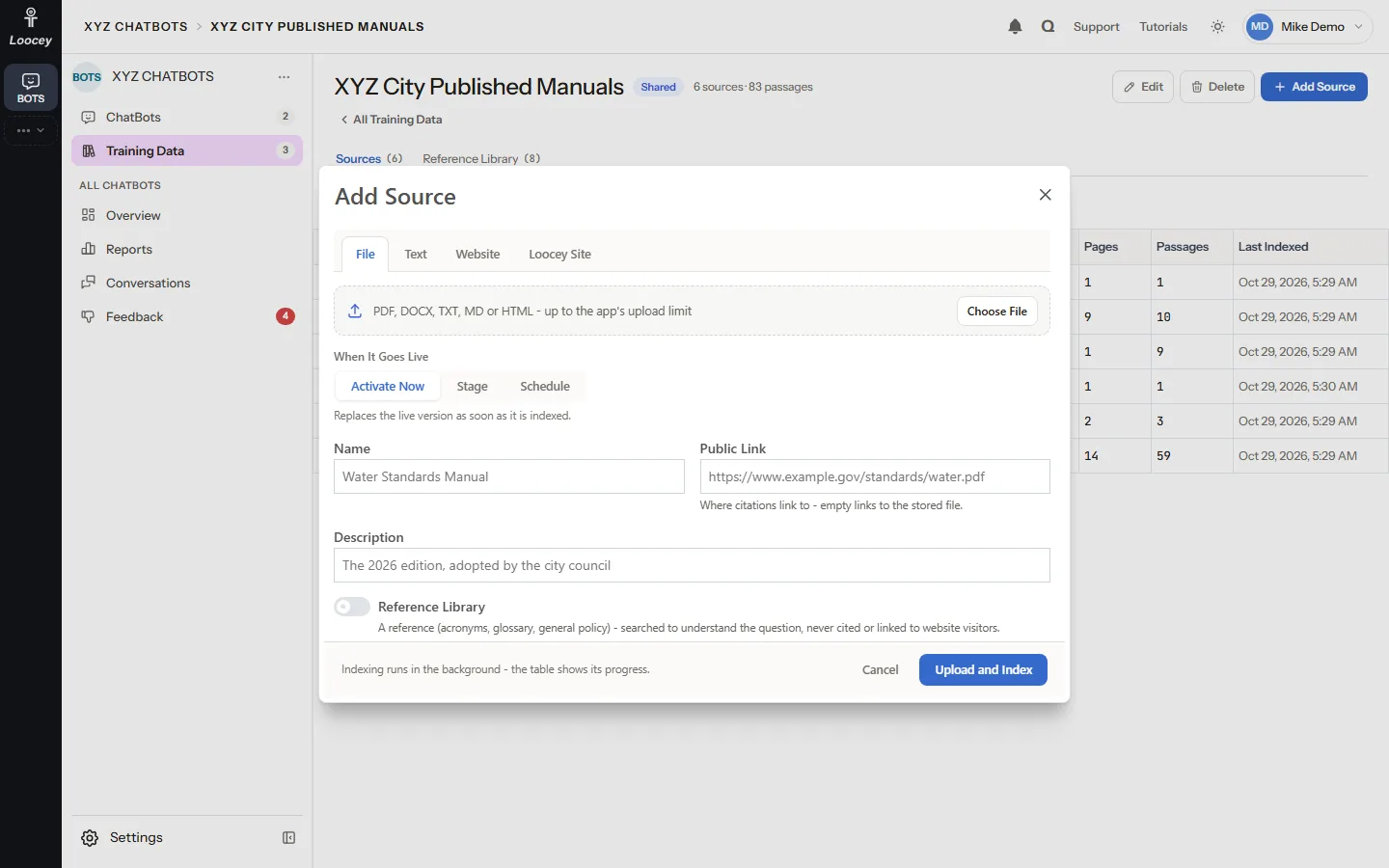
Versions and Cutover
New editions without a gap or a mix of old and new
Every upload, re-crawl or text change creates a version of the source. Only the Active version is ever searched, so a new edition replaces the old one in one step.
- Schedule next year's edition for its effective date
- Preview a staged edition in Test Chat while visitors still get the current one
- Restore an older edition to roll back
- Re-index after a website changes, or retire a source without deleting it
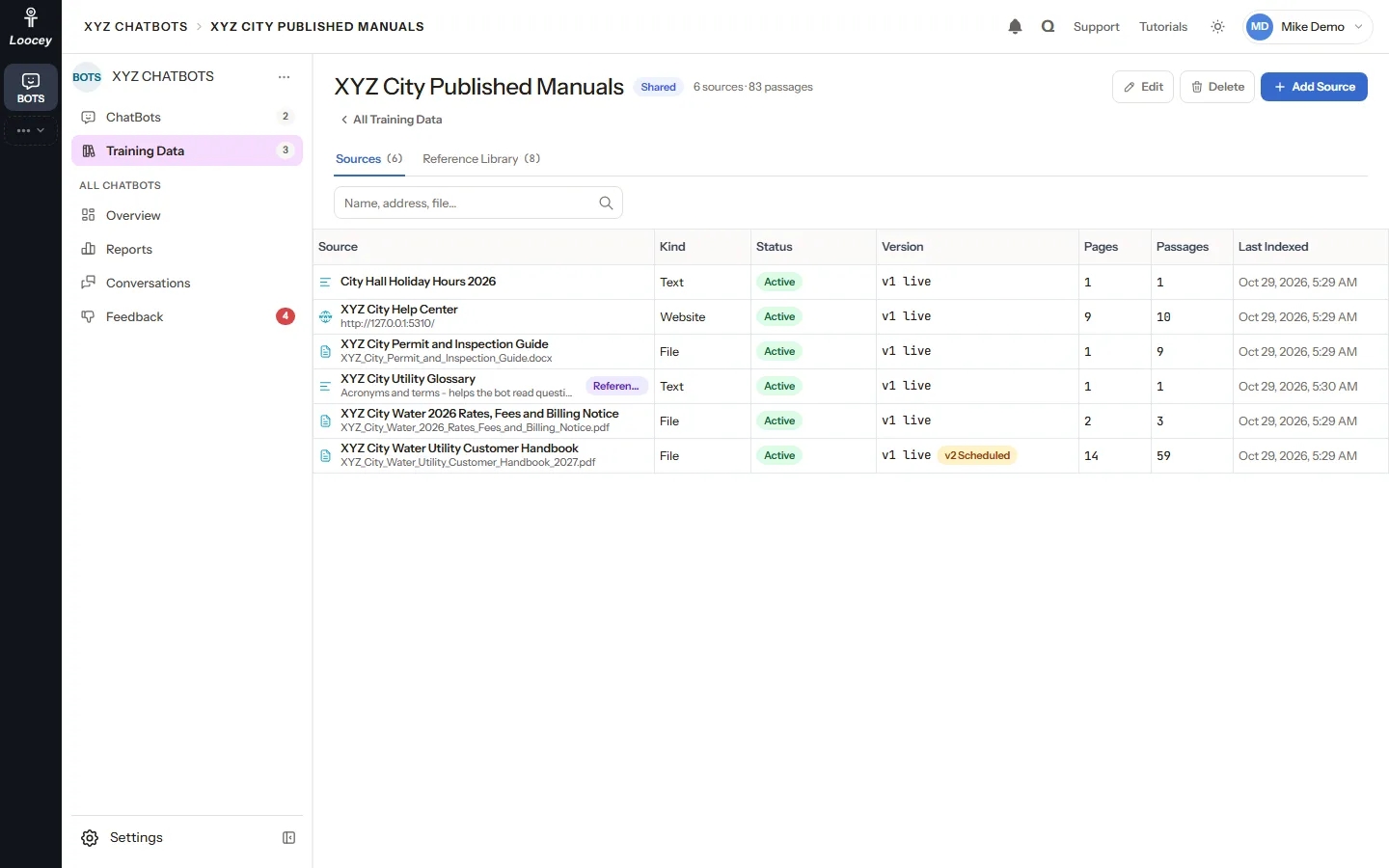
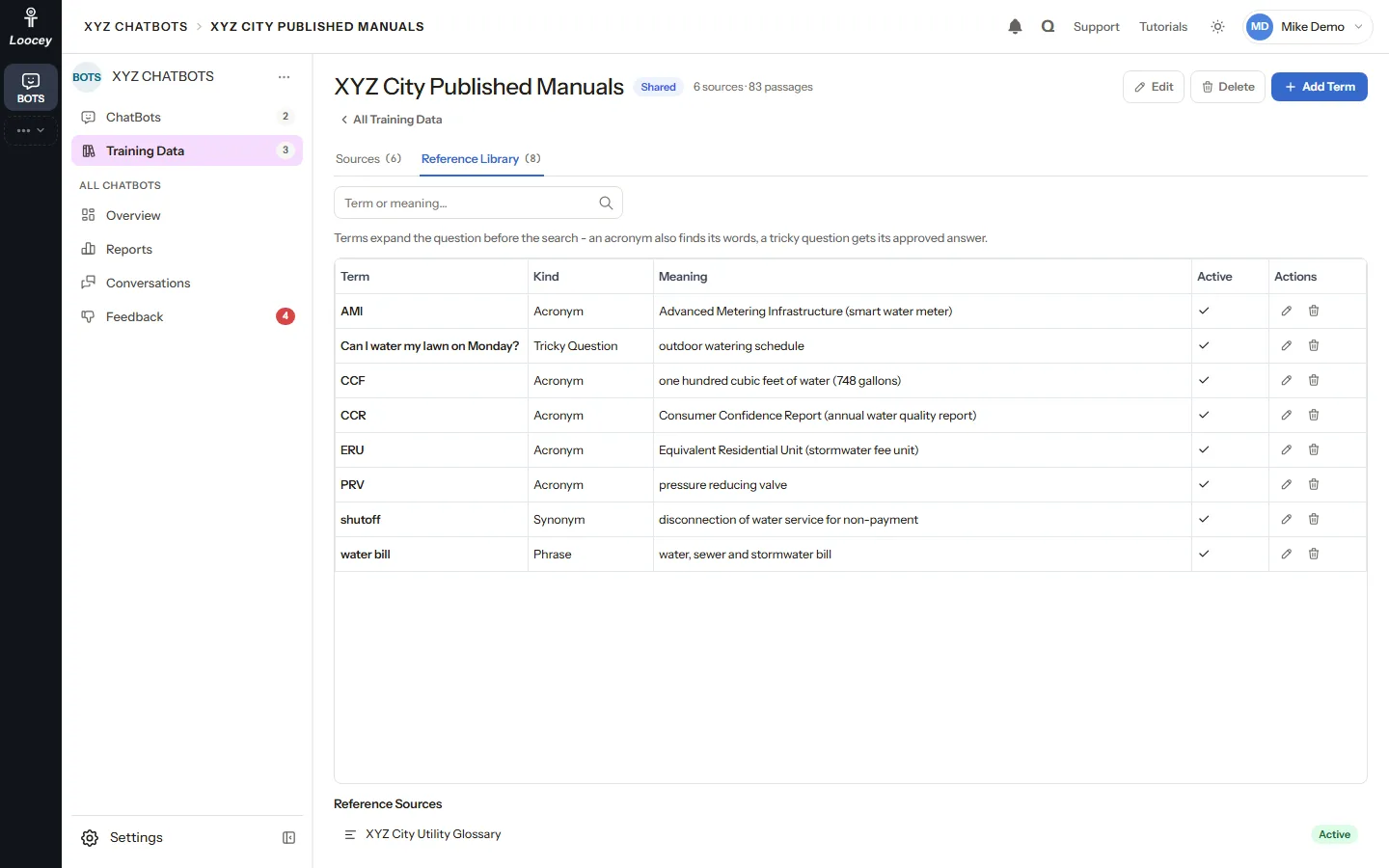
Reference Library
Acronyms, phrases and tricky questions that help the bot read a question
Reference terms expand a question before the search, so an acronym also finds what it stands for. A glossary can be a reference source that helps read questions but is never cited to visitors.
- Acronyms, phrases, synonyms and tricky questions
- Each term with its meaning and an Active switch
- Reference sources help the search but never appear as citations
- The Retrieval Path shows which reference terms were used
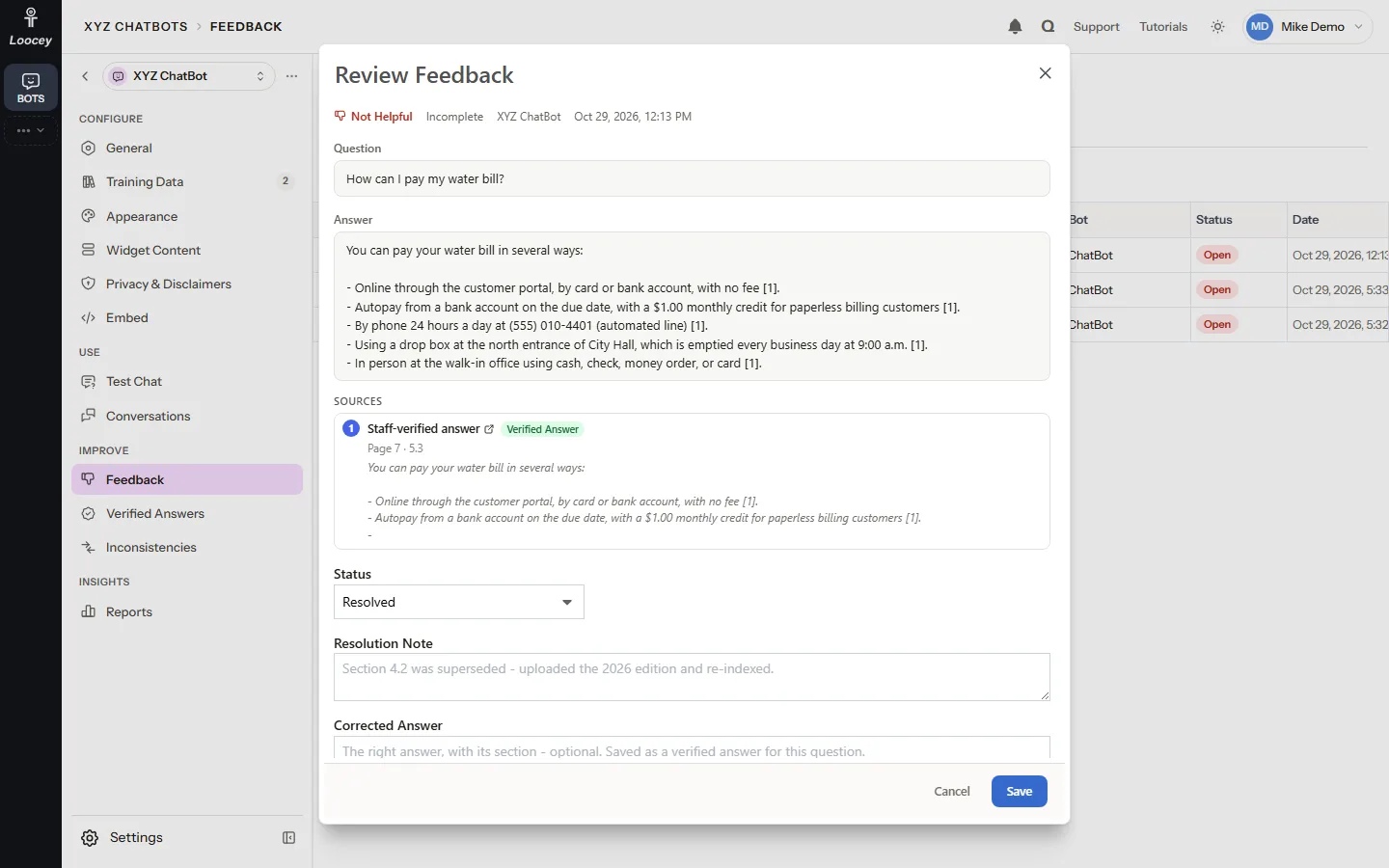
Feedback Queue
Every thumbs-down lands with a person who can fix it
A thumbs-down asks the visitor what was wrong and lands in the Feedback queue as Open. Staff read the question, the answer and its sources, and resolve it with a note or a corrected answer.
- Reasons: Incorrect, Incomplete, Not Relevant, Outdated or Other
- Open, Investigating, Resolved and Dismissed tabs
- A corrected answer becomes a verified answer for that question
- Your name and the time are recorded on every resolution
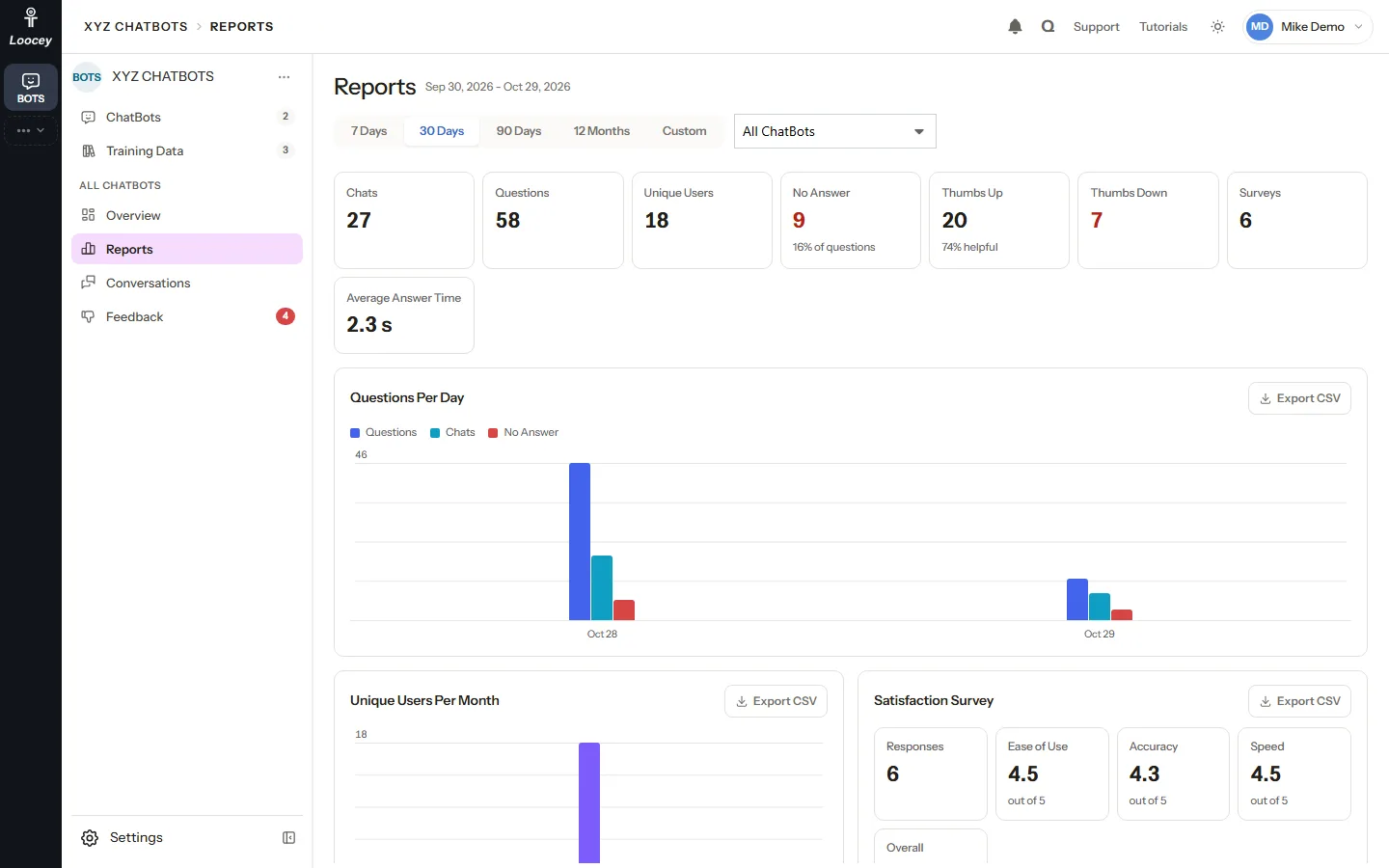
Reports and CSV Exports
How the bots are used, and where they fall short
Reports show, for any period and one bot or all, the chats, questions, unique visitors, no-answer replies, thumbs, surveys and answer time. Test Chat questions are never counted.
- 7 days, 30 days, 90 days, 12 months or your own dates
- Questions per day, unique users per month and the satisfaction survey
- Top questions and the answers visitors marked Not Helpful
- Export CSV on every panel
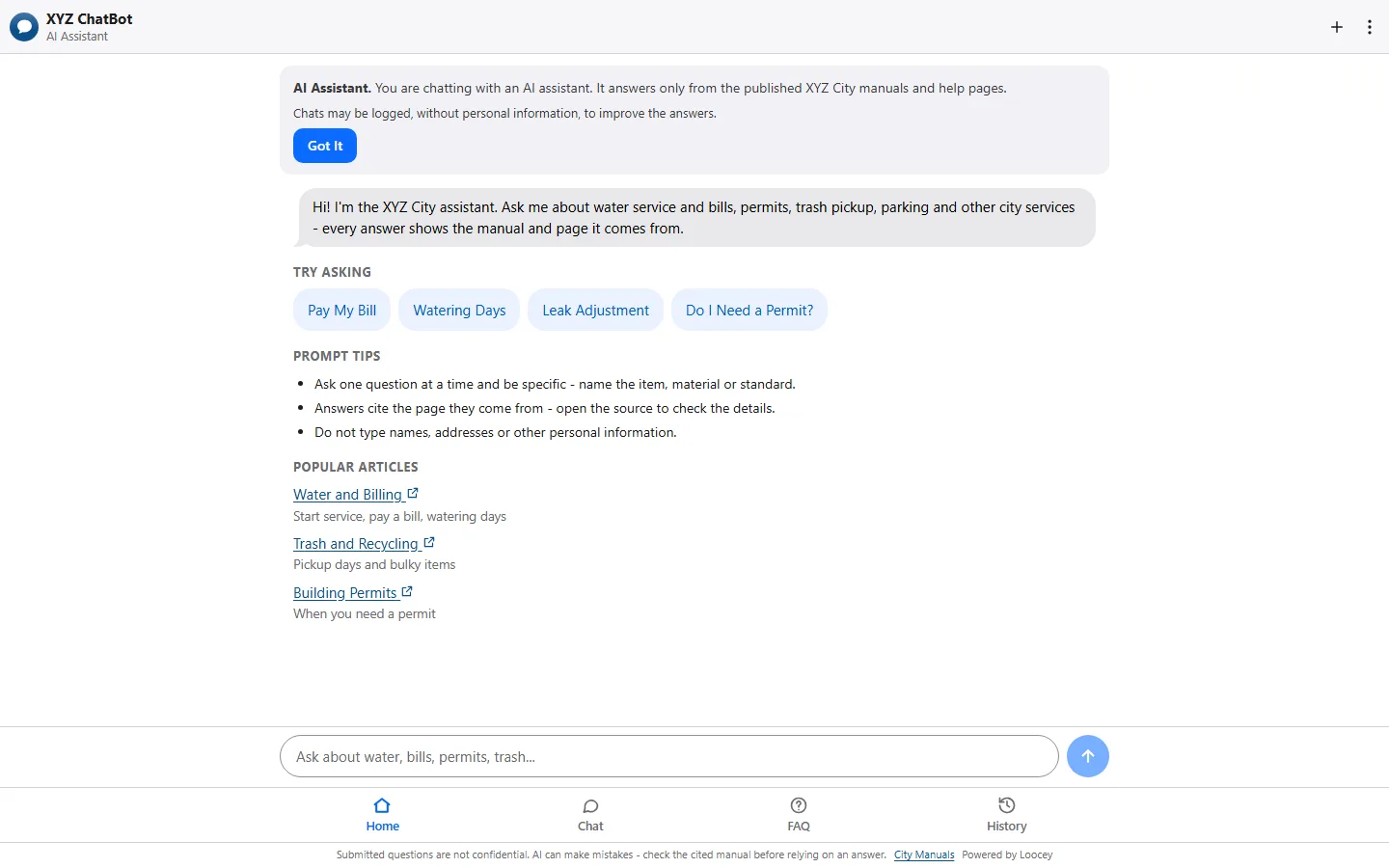
Website Widget and Hosted Chat Page
One script tag, or a hosted page with no website change
Paste one script before the closing body tag and a chat button appears on your pages. Or link to the hosted full-page chat on the Loocey servers, or show it inside a page with the iframe snippet.
- The widget draws itself inside its own Shadow DOM, so your site's styles cannot break it
- A chat bubble, a full page or inline in a page element
- Link to the hosted page from any page, an email or a QR code
- List the websites allowed to embed each bot
Your Brand, Light and Dark
Colors, logo and content for every bot, with a live preview
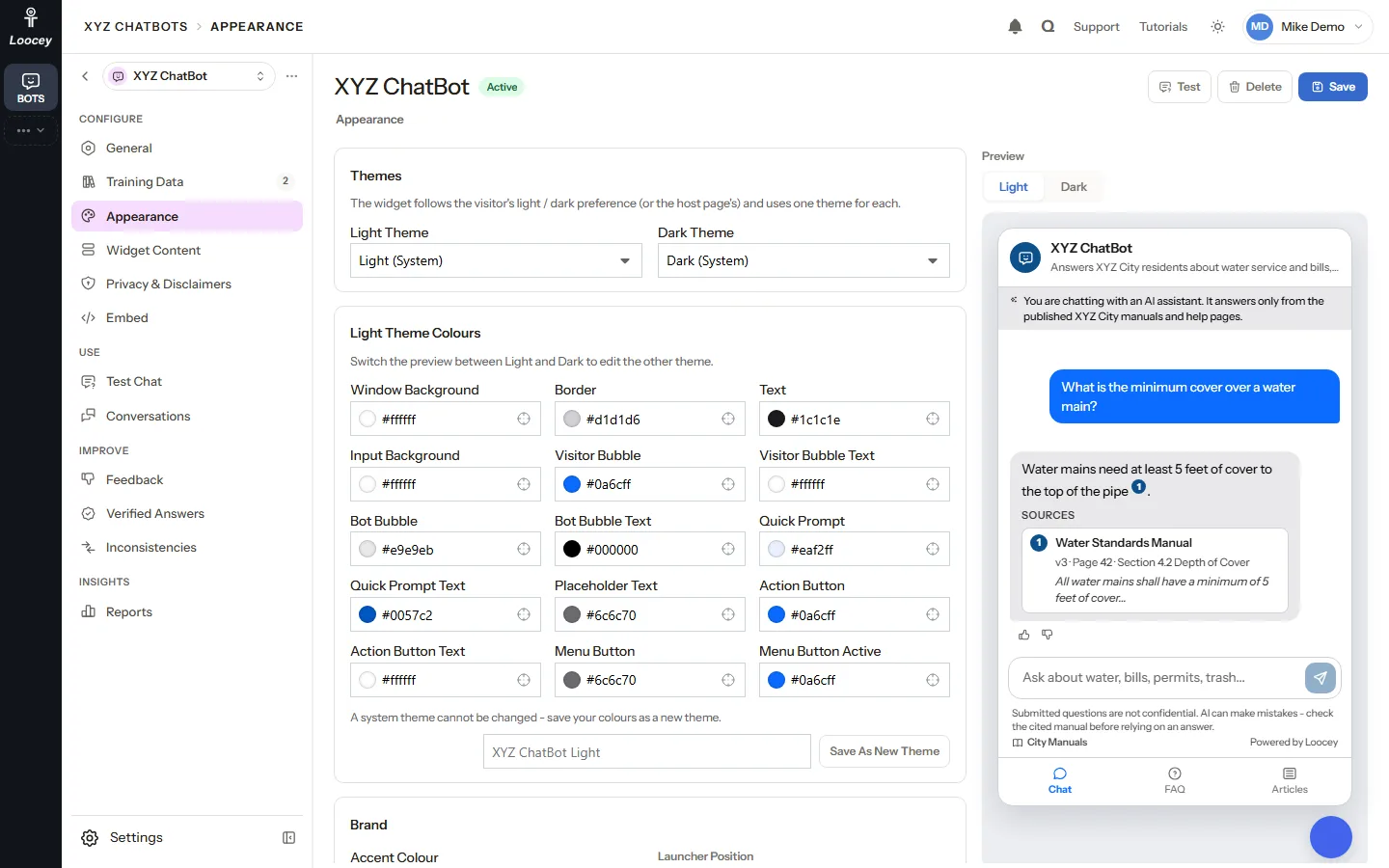
Every bot has a light and a dark theme with its own colors, an accent color, the launcher side and your logo. The live preview shows a cited answer as visitors will see it.
- Light and dark themes with 15 colors each
- Every text color is checked against its background and falls back to a readable one
- Quick prompts, fixed FAQs answered without AI, greetings and popular articles
- An optional Powered by Loocey line
At a Glance
Loocey ChatBots in four numbers
- Of chatbots in one app, each with its own widget and embed key
- Any Number
- Source kinds: files, pasted text, crawled websites and Loocey Sites
- 4
- Citations with source, version, section and page on every answer
- Page Level
- For visitors, and personal details are removed from questions before they are stored
- No Login
How It Works
How grounded answers work
Loocey ChatBots is a retrieval-augmented (RAG) chatbot with a no-guessing policy. Every visitor question goes through the same steps, and the bot answers only from the live versions of the training data sets assigned to it.
-
Scrub Personal Details
The question is cleaned of email addresses, phone numbers, card and account numbers, street addresses, dates of birth, ID numbers and self-introduced names. The original text is never stored.
-
Understand Follow-Ups
A short follow-up such as "and for sewer?" is searched together with the previous question.
-
Expand Reference Terms
Acronyms, phrases and synonyms from the Reference Library add their meaning to the search, so ROW also finds right-of-way.
-
Check Verified Answers
A staff-approved answer to the same or a very similar question becomes the top passage.
-
Hybrid Search
Full-text search (words) and vector search (meaning) each find their best passages from the live versions only, and the results are merged into one ranking.
-
Cite or No Answer
The best passages, 6 by default, go to the AI model with strict rules: use only these passages, cite every claim, otherwise answer NO_ANSWER. With no matching passage the model is not called at all and the visitor gets your fallback message.
-
Citations You Can Check
Each citation names the source, version, page and section with a snippet, and links to the page it came from.
How Your Sources Are Read
-
Page-Aware Passages
Sources are cut into passages of about 250 tokens at sentence ends, never across two pages, and each passage keeps its page, section and heading.
-
Small-to-Big Reading
When a passage is used, the AI also reads the passages just before and after it on the same page, so the surrounding requirement text is not lost.
-
Detail Sheets
Pages such as standard detail sheets are detected and their citations link straight to the page.
-
Safe Links Only
An answer may only link to an address found in the passages it was given or in your manuals link. Any other link is removed before visitors see it.
Use Cases
Built for public agencies, ready for any organization with manuals
A RAG chatbot for government that answers residents, contractors and staff from the official documents, and tells them plainly when the documents do not answer.
-
Public Agencies and Utilities
Answer questions about engineering standards and specifications, permits, fees and office policies from the published manuals, with the section and page of every answer. Loocey ChatBots was designed for public agencies.
-
Manuals With New Editions
Load next year's edition before its adoption date, preview it in Test Chat and schedule the cutover, so the bot never answers from a superseded manual.
-
Several Departments, One App
Give each department or program its own bot and share common sets, such as office hours and contacts, across all of them.
-
Any Organization With Manuals
Policies, handbooks, product manuals, help centers and websites: any organization that wants a citation-grounded assistant over its own documents.
Privacy & Accessibility
An accessible chatbot that keeps visitors anonymous
No login, no names, no IP addresses. Every visitor's chats are kept apart from every other visitor's, and the widget is built to work with keyboards, screen readers and zoom.
-
No Visitor Login
A visitor is a random token kept only in their browser. The server stores only its hash, and a visitor can never open another visitor's chats.
-
Personal Details Removed
Questions and feedback comments are scrubbed before they are stored or sent to the AI, and the widget tells the visitor when something was removed.
-
No Cookies, No Analytics
The widget sends no cookies and makes no third-party requests.
-
Never the Internals
Visitors get answers, citations and their own chats, never the retrieval path, token counts, the model name or internal ids.
-
Accessible Widget
The widget targets WCAG 2.1 AA: a labeled dialog, focus management, Escape to close, visible focus rings, a polite live region for finished answers, 44 px touch targets, reduced-motion and forced-colors support, and it works at 200% zoom.
-
Readable Colors
Every text color is checked against its background (4.5:1, 3:1 for borders and focus rings) and falls back to a readable default.
(opens the full-size screenshot in a new tab) AI & MCP
An MCP chatbot your AI assistant can manage
The Loocey MCP (Model Context Protocol) server includes ChatBots tools, so a compatible AI assistant can check and tune your bots with plain-language requests.
-
Read Everything
An AI assistant can read the overview, bots, sources, passages, chats, feedback and usage numbers (chatbots_query).
-
Create and Tune Bots
Create a bot or change its texts and switches, and add a Text, Website or Loocey Site source or a reference term (chatbots_save).
-
Ask and Check
Ask a bot a test question and get the answer with its citations and retrieval path, re-index a source, activate a version or start a consistency check (chatbots_run).
-
Limited by Your Role
The assistant acts as a real Loocey user with that user's permissions. It cannot upload files, delete anything or export CSVs.
Part of Loocey
Works with Loocey Sites
FAQ
Loocey ChatBots questions, answered
What is Loocey ChatBots? Product
Loocey ChatBots is an AI chatbot trained on your own documents. It answers questions only from your manuals, pasted text, crawled websites and Loocey Sites, and cites the source, section and page of every answer. One app holds any number of chatbots, each with its own website widget.
Does the chatbot make up answers? Answers
The bot is built to cite or not answer. The AI model gets only the best matching passages from your sources and must cite every claim, otherwise it answers NO_ANSWER. When no passage matches, the model is not called at all and the visitor gets your fallback message and a link to your staff inbox. Answers can still be wrong, which is why every bot shows a disclaimer and citations visitors can check.
How does the chatbot cite its sources? Answers
Every answer carries citations with the source name, version, page, section and a snippet of the passage. For a PDF manual the citation opens the file at that page in the browser. For a website or Loocey Site source it links to the page address.
What can I train the chatbot on? Training Data
Uploaded files (PDF, Word .docx, .txt, .md and .html, up to 100 MB each), pasted text, crawled websites (up to 200 pages per crawl) and Loocey Sites. Sources are grouped in training data sets that can be shared across bots or kept private to one bot.
How do I update a manual without the bot answering from the old edition? Training Data
Upload the new edition as a new version of the source and choose Activate Now, Stage or Schedule. Only the Active version is ever searched, so the switch is a clean cutover. You can preview a staged edition in Test Chat and roll back to an older version later.
Do website visitors need to log in? Privacy
No. Visitors are anonymous. The widget keeps a random token in the browser so a visitor can see their own chats, and the server stores only a hash of it. The widget sends no cookies and makes no third-party requests.
What happens to personal information visitors type? Privacy
Email addresses, phone numbers, card and account numbers, social security numbers, IP and street addresses, dates of birth, ID numbers and self-introduced names are removed before a question is stored or sent to the AI. The rules are pattern based, so we recommend a disclaimer line asking visitors not to share personal details. Chats are deleted after 730 days by default.
How do I add the chatbot to my website? Website Widget
Copy the one-line script from the bot's Embed tab and paste it before the closing body tag of your pages. You can also link to the hosted full-page chat or use the iframe snippet. A bot answers on a website only when its status is Active and its visibility is Public, and you can limit which websites may embed it.
Is the chatbot widget accessible? Accessibility
The widget targets WCAG 2.1 AA. The launcher is a real button, the panel is a labeled dialog that takes and returns focus, Escape closes it, focus rings are visible, finished answers are announced to screen readers, touch targets are 44 px, and it respects reduced-motion and forced-colors settings and works at 200% zoom.
Is Loocey ChatBots a RAG chatbot for government? Product
Yes. It uses retrieval-augmented generation: hybrid full-text and vector search over your live sources, then a grounded answer with citations. It was designed for public agencies, with an AI disclosure, a disclaimer, a fallback inbox, anonymous visitors, chat retention and usage reports, and it fits any organization with manuals to answer from.
Can staff improve the answers? Quality
Yes. Staff can mark a good answer correct, resolve a thumbs-down with a corrected answer, or write verified answers by hand. A matching question then gets the verified answer as its top passage. Run Consistency Check finds passages that contradict each other within or across manuals.
Does Loocey ChatBots work with AI assistants through MCP? AI & MCP
Yes. The Loocey MCP server has chatbots_ tools, so a compatible AI assistant can read bots, sources, chats and usage, create and change bots, add text, website and Loocey Site sources, and ask a bot test questions with citations. It acts as a real Loocey user with that user's permissions.
Give your website a chatbot that cites the page
See Loocey ChatBots answer from your own manuals, with citations, verified answers and no visitor login.